
Faculty and Staff Development Suggestion Box
If you have an idea for a Professional Development session, we would love to know about it! Please use the Suggestion Box to describe your idea.
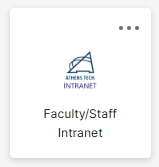
- From the Okta Single Sign On, select the Intranet icon/tile.
- Choose Faculty/Staff Development from the left menu

- Choose Suggestion Box to enter your Professional Development idea

- Enter the required information and select Send Suggestion

Additional Information and Technical Support
Additional information is available in following the solution articles:
- View your past development sessions under My History.
- Register for a Session through the college's Intranet.
- Unable to attend a session? Before the session start date, Use the Drop a Session option.
- Use the Add Your Own section to include activities that you participate in that are offered outside of our college. If you have questions about if an activity qualifies for professional development, please contact your supervisor.
- If you are interested in presenting a professional development or have an idea for a topic, please complete the Faculty and Staff Suggestion Box.
For further assistance, please submit a Blackboard Support Request.