
Add Your Own Credit
When you attend a Professional Development session that is hosted by an organization outside of Athens Technical College, or otherwise not listed for registration in the Intranet, you can use the Add Your Own feature to add credit for the session.
You can review the Professional Development Procedure article for more informaiton.
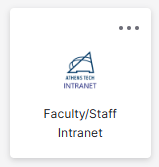
- From the Okta Single Sign On, select the Intranet icon/tile.
- Choose Faculty/Staff Development from the left menu

- Select Add Your Own to enter a Professional Development you have attended from outside of Athens Technical College

- Enter the required information, then select Submit

Additional Information and Technical Support
Additional information is available in the following solution articles:
- Faculty and Staff Development Register for a Session
- View your past development sessions under My History
- Use the Drop a Session option if you are unable to attend a session.
- Presenters can print the Faculty and Staff Development Rosters for Facilitators to use as a sign-in sheet.
- If you are interested in presenting a professional development or have an idea for a topic, please complete the Faculty and Staff Suggestion Box.
For further assistance, please submit a Blackboard Support Request.