
Downloading the Grade Book in Blackboard Ultra
The coursework submitted by a student prior to being removed will be restored if the student is added back to the class by Registration and Records. Follow these directions to see the progress of a removed student.
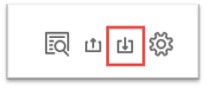
- From the Blackboard Gradebook, download your Gradebook.
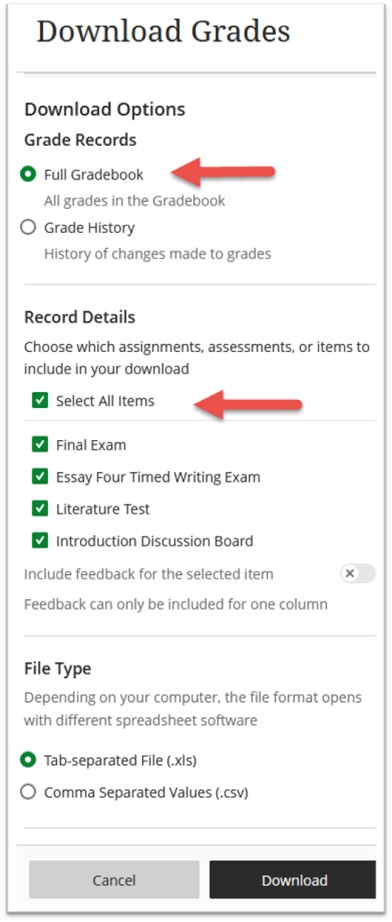
- Choose Full Gradebook and Select All Items, then select Download.
Additional Information and Technical Support
Additional information is available on the TCSG/GOLD training website. Use the keyword Gradebook or Grade History to search the news.
For further assistance, please submit a Blackboard Support Request.